
*Customers will have to configure these onsite. Make sure we know the IP address the Relaymed Software Agent is on and port number assigned to the device we are connecting beforehand.
*Device cannot be used on *hidden Wi-Fi networks
We have to temporarily log into the Grid Connects Wi-Fi network and access it's GUI through a web browser, we will be offline during this process.
- Connect the PICO Serial to Wifi Adapter to its power source
- Disconnect from your network, and connect to the PICOs Wi-Fi network
- The network name will be XpicoWifi_last6serialnumber
- Network Password is XPICOWIFI
- On the selected computer to configure the device, open a web browser
- Enter the following IP address in the URL Bar - 192.168.0.1
- You will need to enter the default credentials - admin/PASSWORD
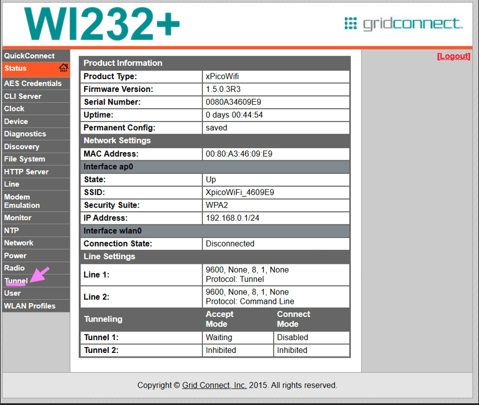
- From the landing page, you will want to click on "Tunnel"
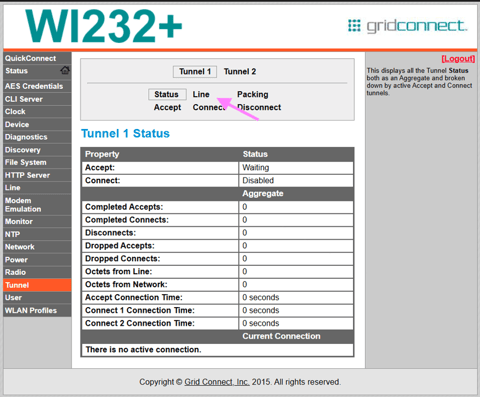
- Click on "Line"
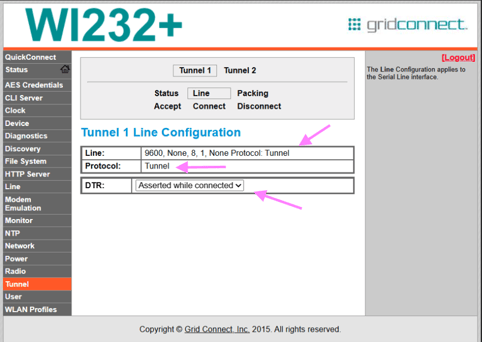
- Confirm the below settings are set to these values
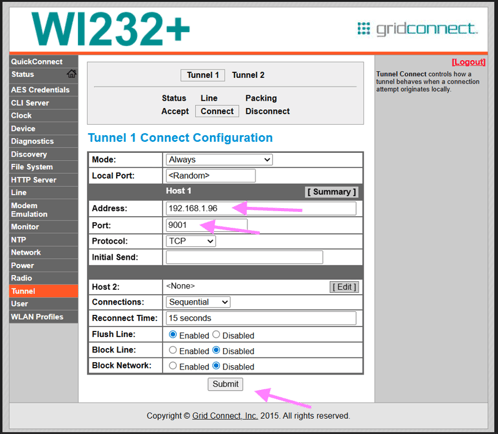
- Next you will click on "Connect" and confirm the following values, then click "Edit" on Host 1
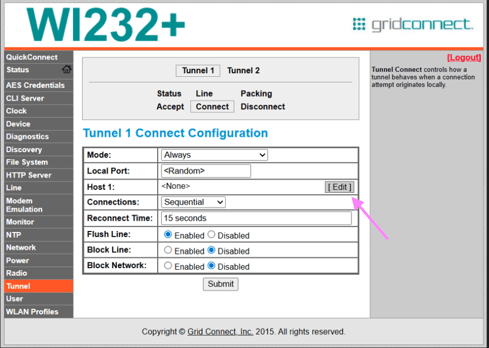
- You will put the IP address that is associated to the machine the Relaymed Link is installed on, with the port assigned to the device on the Relaymed Link. Finally click "Submit"
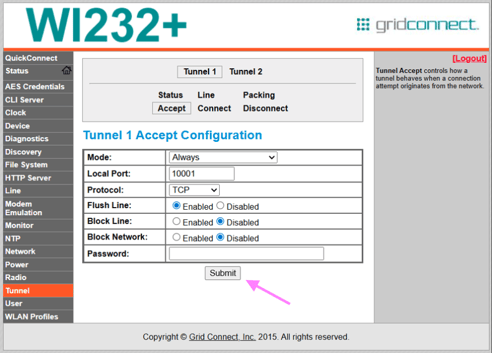
- Now click on "Accept", ensuring the values are as presented below, with "Password" field left blank then click "Submit"
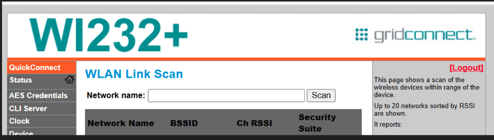
- Lastly, we will click on "Quick Connect" in the top left. Here you will click scan to find your Wi-Fi network and connect to it. Once complete, you will hit "Submit" once more to complete the configuration
- After this is complete, you will click "Logout" in the top right. And we will check for device connectivity in the Relaymed Portal and Relaymed Link